
Using Before and After Photos to Win Work
Proof of work is the most persuasive marketing a service business owns — here's how to shoot it, caption it, and put it to work.
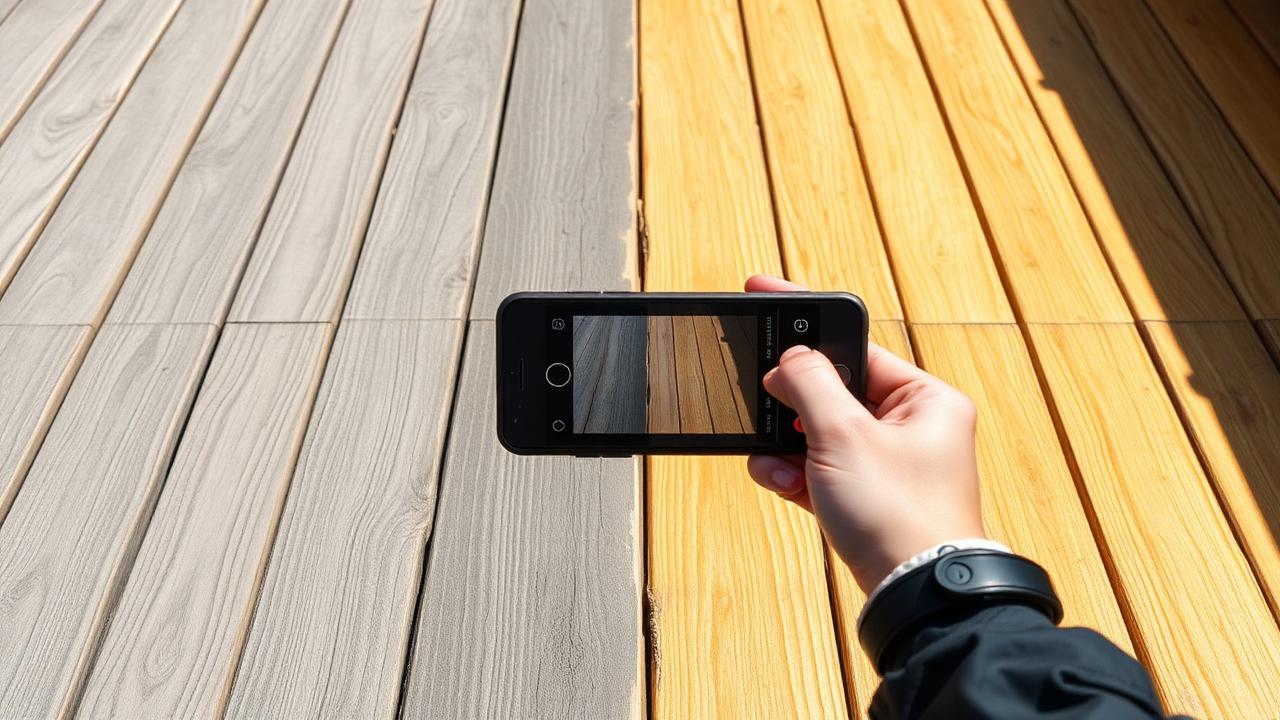
The quote that didn't need to be sold
A landscaper named Priya used to write long quotes explaining exactly what a mulch bed refresh and edging job would look like when finished. Half her leads went quiet after reading them. Then she started attaching two photos to every quote for similar work: the yard before, and the same yard two hours later. Her close rate on that job type went from around 1 in 4 to better than 1 in 2 within a couple of months.
Nothing else about her pricing or her pitch changed. The photos did the selling that paragraphs of text couldn't. A homeowner who has never hired a landscaper doesn't know what "bed edging and mulch refresh" actually looks like — but they instantly understand a photo of a scraggly, weed-choked border next to a crisp, dark, freshly mulched one.
This is true across almost every home service trade. Pressure washing, cleaning, painting, HVAC coil cleaning, pool resurfacing — anything with a visible transformation sells itself once the customer can see it. The businesses that use this well aren't the ones with the best cameras. They're the ones with a repeatable system for capturing, captioning and reusing the shots.
Why this matters for revenue and close rate
Photos do three jobs that text can't: they build trust with a stranger who has never met you, they justify your price without you having to argue for it, and they shorten the sales cycle because the customer stops needing to imagine the outcome.
Run the numbers on a modest business. Say you send 20 quotes a month at an average job value of $450, and you currently close 30% of them — six jobs, $2,700. If well-chosen before/after photos lift your close rate to 40%, that's eight jobs and $3,600 a month from the exact same lead volume — an extra $10,800 a year without spending a cent more on marketing.
The same photos also work as free advertising. A single striking transformation post on your Facebook or Google Business profile routinely outperforms a paid ad, because people trust a photo of real work over a claim in an ad.
Build a system, not a habit you forget
The reason most owners have great work but no photos of it is that taking the photo isn't built into the job — it's something they mean to remember. Fix that by attaching the photo step to something that already happens every job, like arrival and wrap-up.
- 1Calculate your position: pull up your last 10 completed jobs and count how many have a usable before/after pair. Most owners are surprised to find it's fewer than 3.
- 2Find the gap: identify the point in your job where you're already standing still — arrival, or right before you pack up — and make the photo part of that moment, every time, for every job type worth showing.
- 3Decide the action: shoot both photos from the same spot, same angle, same time of day where possible, so the comparison is honest and obvious without editing.
- 4Monitor the result: track quote-to-close rate on jobs where photos were attached versus jobs where they weren't, for one month, and let the number tell you whether to keep going.
Shooting shots that actually convince
A good before/after pair follows a few simple rules that have nothing to do with camera quality.
- Take three or four frames of each side so you have options later
- Avoid people and license plates in frame unless you have permission
- Get the customer's okay to use the photo before it goes anywhere public
Match the frame exactly
Stand in the same spot, same height, same zoom for both shots. A slightly different angle makes viewers suspicious the "before" was staged worse than it really was, even when it wasn't.
Light it consistently
Shoot both photos in similar light — same time of day if the job spans hours, or right at the start and end if it's quick. Harsh shadows in one and flat light in the other make the comparison look edited.
Show the whole problem, not a flattering crop
Resist tightening the frame on the worst before-spot only. Customers trust a wide, honest before shot more than a dramatic close-up — it reads as real rather than curated.
Caption with the problem, not just the result
A photo without context is just a picture. A photo with a specific, factual caption becomes proof that you understand the problem and solved it efficiently.
"Mulch bed refresh, 2 hours, Thornbury Rd" tells a viewer almost nothing they can act on. "Beds were choked with three seasons of weeds and old mulch — cleared, edged and refreshed in under 2 hours, ready for spring" tells them exactly what they're looking at and why it took skill, not luck.
| Weak caption | Caption that sells |
|---|---|
| Before and after! | Oxidized siding restored to like-new in 90 minutes — no bleach, no damage to the plants below |
| Another job done | Clogged, sagging gutters cleared and reattached before the fall storms hit |
| Nice transformation | 18 months of hard water buildup removed from this shower glass in one visit |
Reuse the same pair everywhere
The most efficient part of this system is that one good before/after pair does five jobs at once: it goes in the quote for similar work, it becomes a social post, it sits in a follow-up message to a lead who's stalled, it anchors a portfolio page, and it can be printed or shown on a tablet during an in-person estimate.
Build a simple folder structure by job type — Driveways, Roofs, Lawns, Kitchens — so when you're quoting a new lead, you can grab the closest match in under a minute instead of hunting through your camera roll.
Common mistakes to avoid
- Forgetting the before photo entirely and only remembering to shoot the finished result
- Editing or over-filtering the after photo, which makes sharp-eyed customers distrust both images
- Using a dramatic before shot that doesn't match the actual scope of the job you're quoting
- Never asking permission, which risks a customer feeling exposed if their property shows up publicly
- Letting hundreds of great photos pile up unsorted so nobody can find the right one when it's needed
Common questions
- What if the customer doesn't want their property shown publicly?
- Ask before you shoot, not after. Most customers are happy to let you use photos as long as the address and any identifying details are left out — offer that as the default and most will say yes.
- Do I need a good camera for this to work?
- No. A phone camera is fine. What actually matters is matching the angle and lighting between the two shots — that's what makes the comparison believable, not resolution.
- How many photos should I attach to a quote?
- One strong, closely matched pair beats five loosely related ones. Pick the example that's most similar in scope to the job you're quoting.
Try this today
- Pick one job type you do often and shoot a matched before/after pair on your next three jobs
- Write a one-sentence, specific caption for each pair describing the actual problem solved
- Attach your best existing before/after pair to the next quote you send for similar work
- Post one pair to your Google Business profile or Facebook page this week
- Create a simple photo folder by job type so future you can find the right pair in seconds
Turn your job photos into your best salesperson
Wamina Loop's job workflow captures before-and-after photos as a normal step in every job, then makes it easy to drop them straight into quotes, summaries and social posts.
See the job workflow- Job workflow
On-my-way, arrived, before & after photos, summary, payment, review.
- Marketing planner
Weekly posts, promos and referral asks drafted in your voice.